


Cute Keyboard: Sound & Emoji
4.3868.00 Reviews
App Specs
- Version
- 1.5.6
- Updated On
- License
- Free
- Downloads
- 1,000,000+
- Developer
- Neli Creative
- Categories
- Personalization
- Platform
- Android
Screenshots
 Analysis by AppCompare
I like the idea behind Cute Keyboard: Sounds & Emojis: it treats the keyboard as part of a phone’s look and feel, not just a tool for entering text. That can make everyday chats a little more personal, especially if you enjoy cute visuals and playful typing sounds. My overall take is positive, with one important caveat: a keyboard is something you use constantly, so comfort and control matter more than novelty. I’d recommend trying it if appearance is a priority, while keeping a practical eye on whether its style suits the way you actually type.
What changes when your keyboard has a personality
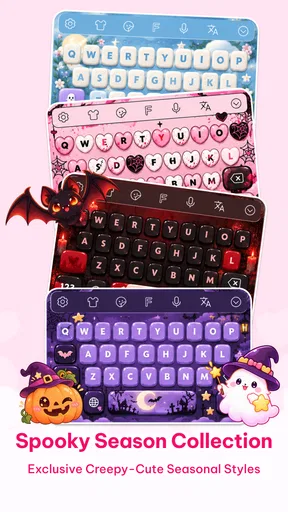
A themed keyboard affects more than the occasional message. It appears when you search, reply, jot down a reminder, or enter text in an app, so even a small visual change can become part of your daily routine. The appeal here is the chance to make that familiar surface feel less generic through themes, emojis, and keypress sounds. If your phone already reflects your taste through wallpapers and icons, changing the keyboard can make the setup feel more cohesive.
There’s a practical trade-off, though: expressive design should not get in the way of reading keys or correcting mistakes. I’d choose a theme that keeps letters easy to distinguish, rather than picking one solely because it looks adorable in a preview. A keyboard is in view while you compose, and poor contrast or distracting decoration can make longer messages tiring. For me, the best result is a design that adds charm without asking me to work harder to type.
Small choices that make the experience more useful
When trying a new keyboard, I’d test it in the situations where I type most: a quick reply, a longer note, and a search query. That gives a better sense of whether the key layout feels natural than simply tapping around in the customization screen. If the app lets you adjust the key size, as the published review describes, I’d start with readability and accuracy before fine-tuning the look. A slightly less decorative setup may be the better everyday choice if it helps prevent missed taps.
Sounds are another setting worth judging in context. A click or pop might feel satisfying when you’re messaging at home, but the same effect can be distracting in a quiet room or annoying to people nearby. I’d try the sound briefly, then decide whether it improves the experience enough to keep on. Being able to switch it off is useful because it lets the visual theme remain without making every tap audible.
Where this keyboard fits among alternatives
The usual alternative is the keyboard already on your phone: it may be less decorative, but familiarity is a genuine advantage. People who prioritize fast entry, predictable autocorrect, or a plain layout may be happier leaving their default keyboard in place. A themed option makes more sense when visual expression is part of the goal and you’re willing to spend a little time checking that the design still works for ordinary typing.
Compared with changing only a wallpaper, a keyboard theme is more interactive because you see and use it while composing. That makes the customization more noticeable, but also raises the stakes: an image behind icons can be ignored, while a keyboard is involved in every typed word. I’d treat Cute Keyboard as a personalization choice rather than an automatic upgrade to typing itself. Its value depends on whether its appearance and sound make the daily interaction more enjoyable for you.
Worth Reading Before You Choose

EA SPORTS FC Mobile 26 Is a Bigger Football Game, but It Takes Time

Flipboard Shows What News Apps Must Do Beyond the Feed

Switching to Android Auto Means Rethinking Your Driving Routine

Google Calendar Makes a Crowded Week Easier to Manage

Ludo King Makes the Most of the Minutes Between Plans

Baby Panda World Brings Quick Play to Modern Phones, but Its Game Library Feels Busy
A realistic way to decide
Imagine answering messages on the way home, then entering a grocery reminder and searching for a recipe later. In that kind of ordinary day, the keyboard has to handle both playful chats and plain, practical text. I’d begin with a theme that stays readable, use the sound only if it feels pleasant rather than distracting, and check whether switching between the keyboard and other phone tools remains comfortable. If the style still feels good after those less glamorous tasks, it is more likely to be a keeper than a theme that impresses only at first glance.
One useful habit is to separate the decision into two parts: first ask whether you like the look, then ask whether you make fewer or more typing mistakes with it. If those answers conflict, choose usability. A keyboard that matches your aesthetic but slows down routine replies may be better as an occasional change than a permanent setting. This is especially worth considering if you type long work messages or rely on a familiar layout throughout the day.
Who is likely to enjoy it—and who may not
I can see this app working best for people who enjoy changing the look of their phone, use emojis often, and want more character than a standard keyboard offers. It may also suit someone who likes audible feedback while typing, provided they can silence it when the setting calls for quiet. If your main goal is a consistent, understated keyboard and you rarely care about themes, the extra personalization may not be worth changing a familiar setup.
It is also sensible to think about shared spaces and accessibility. Sound can be inconvenient around other people, while visual designs that reduce contrast may be harder to use comfortably. I’d prioritize a clear theme and keep sounds off whenever they become a distraction. Those choices preserve the playful side without assuming that one colorful setup will work equally well for every person or situation.
Get Ready to Jazz Up Your Typing
First things first, installing Cute Keyboard: Sounds & Emojis was a breeze. Available for both Android and iOS, it took just a couple of taps to download and set up. Once you're in, you're greeted with a vibrant array of themes and features that make the standard keyboard feel downright dull.
Features That Make You Go "Wow!"
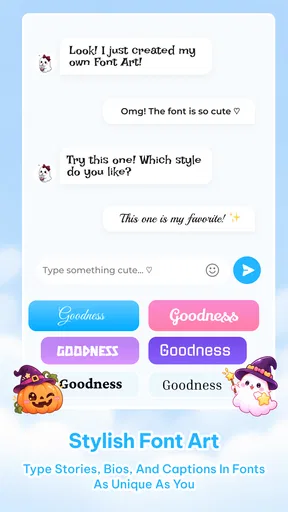
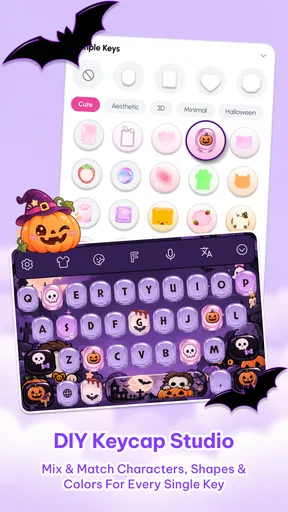
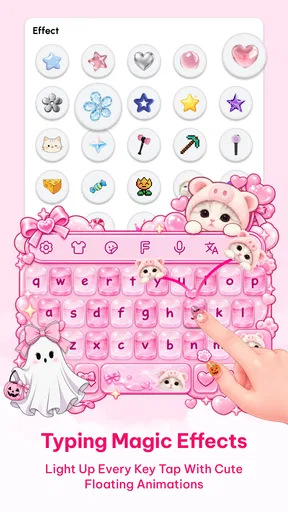
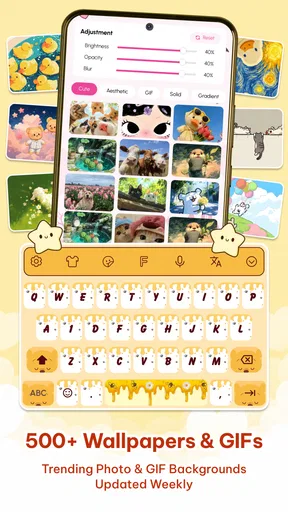
So, what makes this app stand out? Let me break it down for you. The heart of the app is its immense collection of themes. Whether you're into floral designs, cute animals, or something more minimalistic, there's something here for everyone. I was particularly drawn to the customizable options. You can tweak colors, fonts, and even the size of the keys to suit your style. It's like having a mini design studio right in your pocket.
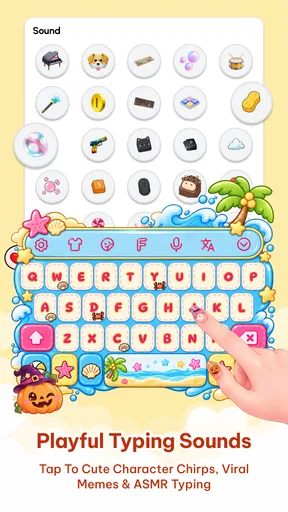
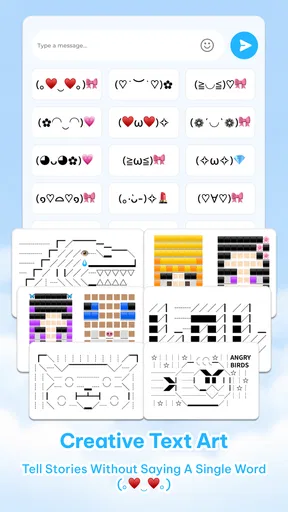
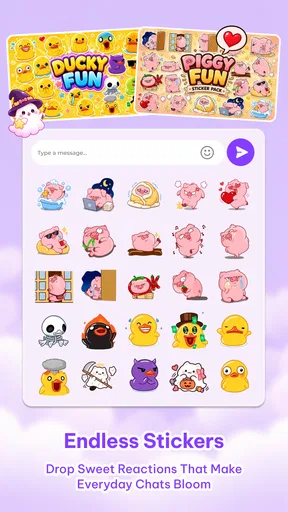
But wait, there's more! Each keypress is accompanied by delightful sounds. There are clicks, pops, and even musical notes to choose from. It turns typing into a sensory experience that’s both engaging and oddly satisfying. And let's not forget the emojis! With a vast selection at your fingertips, you can express yourself in ways words sometimes just can't capture.
Easy to Use and Customize
One thing I really appreciate about Cute Keyboard: Sounds & Emojis is how user-friendly it is. The interface is intuitive, making it easy for anyone to navigate. Switching between themes or adjusting settings takes seconds, and the app guides you every step of the way.
If you're worried about compatibility, fear not. The app plays well with most messaging apps, so you can use it to spice up your texts in Messenger, WhatsApp, or any other platform you love. I found no lag or glitches, which is always a relief when dealing with customized keyboards.
A Few Things to Keep in Mind
While I adore this app, it’s not without a few quirks. The sounds, as charming as they are, might not be for everyone. Thankfully, you have the option to turn them off if you prefer a quieter typing experience. Also, be aware that some themes and features require in-app purchases. However, the free offerings are plentiful and satisfying enough for most users.
As a free personalization app from Neli Creative, it has an average rating of 4.7 from around 8,800 ratings, with more than 1 million installs. It is intended for everyone, and version 1.2.5 is listed for devices running OS 9 or later. Some extras are available as in-app purchases, ranging from $1.99 to $29.99 per item, so I’d explore the free options first and decide whether a paid theme or feature is genuinely worth it to me.
Because a keyboard handles what you type, it’s reasonable to pause before making any third-party keyboard your everyday choice. I’d check the keyboard settings and the app’s own setup information, then make a deliberate decision about enabling it. That’s a good habit with any replacement keyboard, not a reason to assume this one behaves in a particular way. If you prefer not to use a third-party keyboard at all, sticking with the keyboard already on your phone is the simpler option.
Why You Should Give It a Try
Overall, Cute Keyboard: Sounds & Emojis is a delightful addition to any smartphone. It’s perfect for those who want to inject a bit more fun into their daily communication. The customization options are extensive, and the app’s ease of use makes it accessible to all.
So, if you’re ready to transform your typing experience and express yourself with a little more flair, give this app a shot. It’s a small change that can make your digital life a lot more interesting. And honestly, who doesn't need a bit more cuteness in their day?
My verdict after weighing the trade-offs
I’d give it a try if a cheerful keyboard is something you’ll notice and enjoy throughout the day, rather than a novelty you’ll forget after setting it up. Start with a readable theme, test it in more than one kind of app, and treat sound as optional. That approach lets you judge the part that matters most: whether the keyboard stays comfortable when you’re doing routine tasks, not just when you’re browsing designs.
For someone who wants a plain, familiar layout and has no interest in changing it, the phone’s standard keyboard is probably the better fit. But if you like personalizing small details and don’t mind checking that the new look works for your hands and habits, Cute Keyboard offers an approachable way to make typing feel more like your own. I’d recommend it as a style-focused choice, with usability—not cuteness alone—as the final test.
Pros
- Customizable themes add personal flair.
- Wide variety of emojis enhances messaging.
- Sound effects make typing fun.
- User-friendly interface for easy navigation.
- Supports multiple languages efficiently.
Cons
- Contains in-app purchases for themes.
- Occasional glitches with emoji display.
- Sound effects can be distracting.
- Limited free customization options.
- High battery usage on older devices.
FAQs for Cute Keyboard: Sound & Emoji
What features does Cute Keyboard: Sounds & Emojis offer?
Cute Keyboard: Sounds & Emojis provides a customizable typing experience with a wide variety of themes, sounds, and over 3,000 emojis. Users can personalize their keyboard with different fonts and colors, making it both functional and fun. The app also supports auto-correct and predictive text to enhance typing efficiency.
Is Cute Keyboard: Sounds & Emojis free to use?
Yes, Cute Keyboard: Sounds & Emojis is free to download and use with basic features. However, there are in-app purchases available for users who wish to access premium themes, sound packs, and advanced customization options. This allows users to enhance their experience according to their preferences.
Does Cute Keyboard: Sounds & Emojis support multiple languages?
Yes, the app supports multiple languages, allowing users to switch between different language keyboards effortlessly. This feature is especially useful for multilingual users who want a seamless typing experience in various languages without needing to download separate keyboard apps.
How does the app handle user privacy and data security?
Cute Keyboard: Sounds & Emojis takes user privacy seriously. It does not collect or store personal data entered on the keyboard. All input data remains on the device, ensuring no sensitive information is shared externally. It is crucial to review the app's privacy policy for detailed information on data handling practices.
Is Cute Keyboard: Sounds & Emojis compatible with all Android and iOS devices?
The app is compatible with most Android and iOS devices running recent operating systems. However, some older models or devices with outdated software may experience compatibility issues. Users are encouraged to check the app’s requirements in the app store to ensure compatibility with their device.


